When I submitted
a JavaOne session with this topic earlier in the year I never anticipated it would
be become quite so topical in the run-up to the conference. It meant I had a
nice full room. And it was the day after the JavaOne keynote when the major
Java EE vendors all spoke about their latest support for the platform. Here we
are, picture courtesy of @ArunGupta:
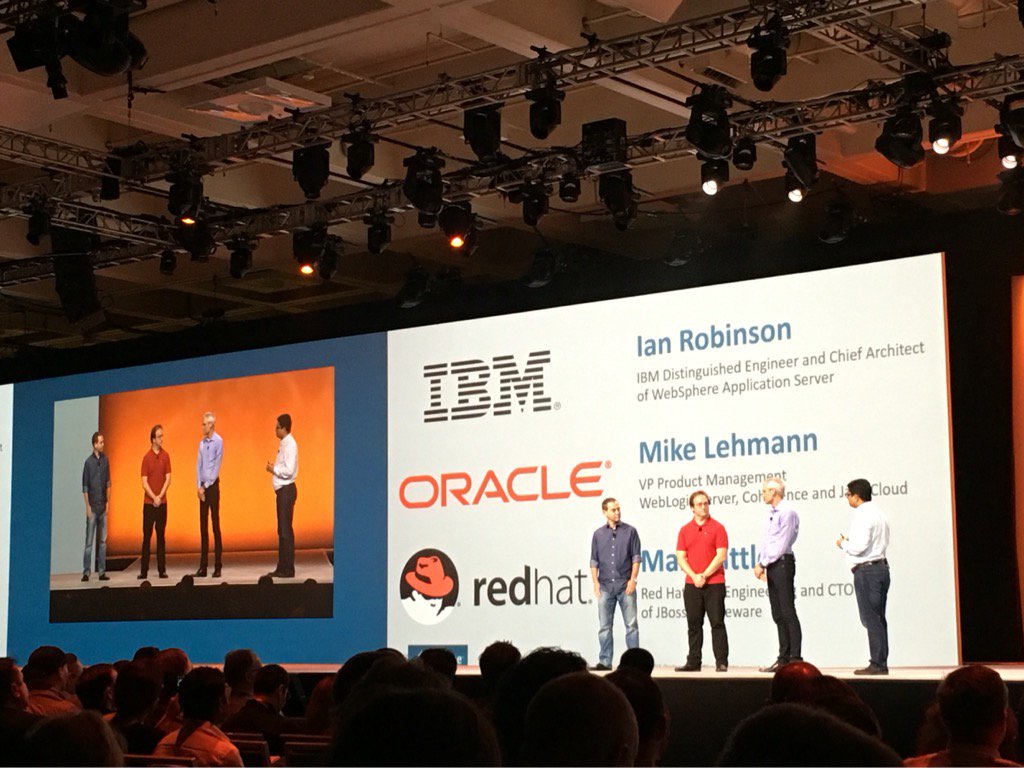
I sent this
to my kids and thought I was being quite funny challenging them to Name the new Boy Band! Seems they’re
funnier than me as they came straight back with ‘No Direction’….
As you’d
expect, the keynote was all about ‘good news’ for EE7 with major product
announcements from the 3 largest EE vendors. But is there still really a place in
the world for EE7 now that the cloud is the real platform? Anything can run in
the cloud, sealed up inside virtualization containers, so does anyone still really
care about Java EE?
Back at the dawn of time, technology platforms were a choice
you made and conditioned how enterprise architectures were implemented. The
days of the technology-specific platform are not yet over but the cloud is
changing the way developers and businesses think about platform - cloud now
*is* the platform and these technologies are increasingly just service-related
domains within that bigger platform. Does there become a point at which the
technology-specific platforms become irrelevant? To muddy the water further,
virtualization containers are an increasingly popular technology to wrap around
services delivered to the cloud which further hide the details of the
technology/language/framework used by the cloud service. These virtualization containers could be
traditional VMs or lighter-weight docker containers or any form of
virtualization which seals in the content to a standard deliverable unit of
deployment.
And in this environment, is a 16-year old technology that some
people were calling “elephantine” 10 years ago actually relevant and a good
place to be for new cloud applications? When I thought about how to approach
this topic, I decided to go back to the beginning and start with a review of
what Java EE set out to solve and how it has evolved from there – to set the
context of where it fits in today’s world of cloud and microservices and to help
take a view on whether it is still fit for purpose in this world. And, if it
is, how would it need to change in order to remain healthy?
Genesis
In the 90s, e-Business
placed huge stress on the IT infrastructure. Web servers running serialized CGI
scripts in front of the back-ends couldn’t scale. A middle tier was needed both
to support a larger concurrent load delivered through the web servers and to
reduce the work running in the mainframes. Mainframes and databases continue to
house the real business data but the cost of processing the data, combining with
multiple sources of data, and presenting it to a new sort of client needed
somewhere cheaper to run. Java enterprise specs started to emerge - we had
servlets and JSPs to serve up dynamic web pages behind the web-servers but Java
was not on the guest-list for the highly-scalable distributed enterprise
computing party. For that we had proper technology like CORBA…
But CORBA was late in understanding the need to distinguish
between the responsibilities of the app and that of the middleware; it provided
little real help in terms of application programming model or management of the
application resource environment. Apps were on their own when it came to things
like getting connections to data sources and having data resources included in
any transaction. Of course, CORBA servers evolved and invented application
level frameworks to hide some of this. IBM had a highly sophisticated Managed
Object Framework (MOFW) infrastructure in one of our fore-runners to Java EE,
called Component Broker. This invented some of the ideas we simplified and
standardized in Java EE.
Enterprise Java introduced containers and defined contracts
between applications and containers. Clear separation of concern freed the
application from middleware concerns so it contained only business logic and
transaction demarcation – all the resource management, transactional enlistment
and transactional lifecycle management is taken care of by the container. It
seems quite quaint now, but the big breakthrough for Enterprise Java was the
EJB. For the first time we have a truly declarative model for transactions,
along with declarative security, for a truly ‘enterprise’ bean. EJBs, more than
any other spec, created the environment for the enterprise Java Platform that
became Java EE (originally J2EE) with multiple commercial vendor offerings.
The Lean challenge
J2EE now looked strong and grew, gaining widespread
adoption, supported by many
large vendors – which became less over time as they bought one another…EE grew
and grew. It got bigger and better. And bigger. And bigger. Along with the
flowers, weeds grew that would one day need to removed like JAXR, JAX-RPC and
the non-portable CMP part of EJB. J2EE 4 was a significant achievement and had
a significant girth. At this time, lightweight frameworks challenge the
orthodoxy and Spring’s IOC container hit the sweet-spot for developers. And
while Java EE ploughed on full-steam ahead getting bigger and better,
developers looked at their apps and wondered how many really need all of Java
EE? For more and more web apps, Spring was enough and EE looked monolithic and
old-school. Open source projects proliferated. LAMP stacks grow up alongside
Java.
But EE learned. Java EE 5 took lessons from Spring by
introducing a more IOC model for EJB3. And Java EE6 took the first proper steps
towards a more modular platform with the first profile subset (Web Profile) and
CDI components to enable resources to be contextualized to web-request scope. But
while a step in the right direction, Web Profile was still far more than enough
for a large proportion of Web applications. As a platform, this was not nearly
granular enough for emerging next-gen apps.
The WebSphere team’s answer to this challenge was to create
WebSphere Liberty in 2012 as part of WAS V8.5 – a truly modular implementation
of Java EE. Our customers use it to create lightweight applications running
Java EE 6 or 7 level of specifications for either the Web Profile or full
profile of Java EE. It also solved the single biggest barrier to IBM customer
adoption of later levels of Java EE – the sheer cost of application migration
for all those little spec clarifications that broke bug-compatibility from one
version of EE (or SE) to the next. Liberty explicitly versions all its features
so each server can run either EE6 or EE7 and completely avoid the whole
migration question.
Containers and containers
But is any of this really relevant anymore? If I can bundle
together my app or service and all its dependencies in a virtualization
container like docker, expose an API and run the container in the cloud, who
cares whether it’s using Java EE or PHP or Node or whatever? Containers can now
my unit of deployment rather than EARs or WARs and I can just tear down and
replace the whole thing when I update my app. Virtual containers are good for
this, especially if the choice of target cloud deployment environment is a
little unclear and a degree of portability and insurance is desired. But apps
or services don’t run in a vacuum and there is still an app container within
that virtualization environment. Managing the content of the virtualization
container is now important – we now have to be careful about the weeds growing
amongst the flowers inside the virtualization container. Just as before with
the emergence of huge numbers of frameworks of varying usefulness and quality, Java
EE can be successful in this environment but only when it’s applied in a way
that enables the content of that virtualization container to be right-sized for
the application. Lets take a look at Java EE inside docker. We make a number of
WebSphere Liberty containers available on Docker hub including EE6 & EE7
Web profile and full Java EE7, each building on a common Liberty kernel layer. Its
then very easy to build a fully-customized EE docker container by starting with
just the Liberty kernel and the specific list of features in a server.xml
configuration. But even virtualization containers are just one way to put apps
in the cloud – there are other ways too. For example if you just push your WAR
to a PaaS like Cloud Foundry or OpenShift you don’t see the EE container – it’s
just whatever is in your cloud. When you do start caring is when you need to
configure that app container e.g. for resource definitions. Docker and other
virtualization containers give me more control than this; you end up owning
more stuff but you can configure it exactly how you want and the docker
container is a more self-contained unit to deploy portably across clouds. For
greatest control, if you also care about topologies or preserving existing
automation scripts, you can virtualize just at the IaaS. In all but the very
simplest case, you do care about the
application container and its configuration.
A multi-cultural society
Of course, the cloud is not just about Java. The Bluemix
cloud, for example, supports an ever-increasing number of runtime environments,
with the two most popular being Java (based on Liberty) and Node.js. Node is
becoming increasingly important as a server-side runtime, particularly for
creating and exposing APIs. What we see is the cloud becoming the
deployment platform and surrounding
technology-specific application-platforms like Java EE and Node. As the larger
technology vendors all become cloud vendors, the vendor investment spreads
wider and becomes thinner. We’ve all seen the technology press howling that
Java EE is dead but of course it isn’t – it’s just competing in each EE vendor
and in each development organization against the other platforms they host or
run alongside (and with) it. My own time is divided between Java EE and Node as
complimentary parts of the cloud platform.
Room for improvement
And there are some things we need to do a better job of
within our own organizations. I’ve lost count of the times I’ve heard people say
that cloud applications in Bluemix may be
Java but they are not Java EE. This is nonsense. An application or cloud
service deploying a servlet with CDI, calling other cloud services over
websockets, using OAUth to authenticate and passing JSON documents to a Mongo
DB is using some non-EE technologies but it is a Java EE application. And can
be a very small one at that. So if you are tired of hearing that Java EE is
dead, challenge these assertions that are designed to damage it – Java EE is
only monolithic if you implement it that way and Java applications that use EE
specifications are EE applications however and wherever they run in the cloud.
My co-presenter Erin and her team created a new lightweight Java EE app
following 12-factor app best practices to demonstrate this. We demoed it for
the first time in this session and you can take a look yourself at http://game-on.org/ - play our throwback
text-based adventure in the cloud, get the source code, and never underestimate
the value of a good pair of 6-inch stilettos.
There are a number of things the EE community needs to do a much better job of, to help itself.
Take a look at some of the stuff around the edges…the SpecJEnterprise2010 EE benchmark
is a classic example of why EE gets labelled monolithic and old – this needs to
be replaced by a modern cloud-friendly benchmark that actually uses EE7
technologies (instead of EE5!), has run-rules for cloud, and supports running
just a Web profile subset. All the EE vendors are part of the Spec committee
for that benchmark – what on earth are you taking so long over? Are you scared
of more vendors publishing?
Outlook
Java EE is at a crossroads. It’s still strong and relevant
at the cloud party, but the younger
guests are making more noise. The vendors support an increasingly diverse cloud
environment and while their development dollars are still going to Java EE, all
the marketing money is going to the new stuff. So it’s not surprising we see
less evangelizing of Java EE in the past. But EE has to help itself if it want
to survive and thrive. Enterprises want new
without breaking existing. Java
EE has the advantage of incumbency in the enterprise but it will lose it if
Java SE or EE break backward compatibility in their rush to evolve and stay
vital. The need for Applications to have to perform any migration in order to
stay on the platform as it evolves must be avoided at all costs - as mentioned
earlier, the cost of migration is the single biggest barrier of adoption of the
latest versions of Java. The future should be bright – Java EE 8’s focus on web
standards is good. Worrying about cloud multi-tenancy at the Java level is
probably a waste of time though - these days I’ll use a virtualization
container for that.
If you care about Java EE – speak up about it and what it’s
good for. The engineering is as strong as it ever was and ideal for the cloud, even
if the marketing people are distracted by their newer toys. As that old survivor
Sheriff Woody would say, “Reach for the sky!”

